
Every PDF tool you need in Canada. Your files stay with you.
Merge, split, compress, convert, sign and protect. 45 tools work inside your browser, so there is no upload, no account, no watermark and no daily limit. Free for everyone in Canada.
- Files are not uploaded
- No account needed
- No watermark on results
- No daily limit
Most used
All 45 tools
Organize PDF10
Optimize PDF6
Convert7
Sign & secure5
Image converters17
Three steps, a few seconds
- 1
Choose a tool
Search for what you need or pick it from the list. Every tool has its own page with nothing else in the way.
- 2
Add your file
Drop it on the page or pick it from your device. It opens in your browser. For most tools it is not sent anywhere.
- 3
Download the result
The finished file is ready in seconds. Process another one straight away; there is no counter and no paywall.
What is different about Doxify
Most PDF sites upload your document to their machines. Doxify opens it in your own browser, so there is nothing to wait for and nothing to delete afterwards.
| Doxify | Typical online PDF site | |
|---|---|---|
| Where your file goes | Stays in your browser for 45 tools | Uploaded to a server, deleted after some hours |
| Free use | No limit on files or tasks | A few files per task, then a paid plan |
| Large files | No upload wait; limited only by your device | Upload time plus a size cap on the free plan |
| Account | Never needed | Needed for many features |
The same tools in your pocket
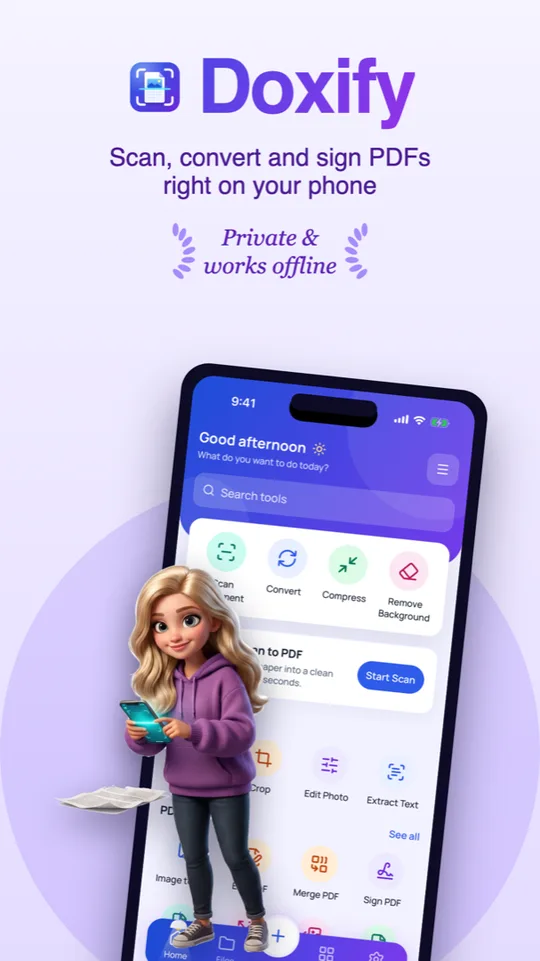
The Doxify app for Android and iPhone has 25+ document and photo tools, a camera scanner with edge detection, OCR, signatures and QR codes. Your documents are processed on your phone.
What you can do here
Merge PDF joins several files into one, in the order you choose. Split PDF and Extract pages pull out the pages you need. Compress PDF shrinks scans and photo-heavy documents so they fit email limits.
For documents, JPG to PDF, PNG to PDF and HEIC to PDF turn photos and screenshots into a single file, while PDF to JPG, PDF to PNG and PDF to Text go the other way.
For images, convert HEIC to JPG so iPhone photos open anywhere, and turn the WebP and AVIF files that websites serve into PNG or JPG. SVG to PNG exports a logo at the exact size you need.
To finish a document, sign a PDF, add a watermark, protect it with a password, remove a password from a file you own, or redact what should not be seen.
Questions people ask
Is Doxify really free?
Yes. Every tool on this site is free to use, with no account, no watermark and no trial that runs out.
Are my files uploaded?
No. Every tool on this site opens and processes the file in your own browser. Nothing is sent to a server.
Is there a limit on file size or number of files?
The site sets no limit for tools that run in your browser. Your device does the work, so very large files are only limited by its memory. A recent laptop handles PDFs of several hundred pages.
Does it work on a phone?
Yes. The site works in Safari on iPhone and in Chrome on Android. Pick files from your gallery or the Files app.
Which tool should I start with?
Type what you want to do in the search box at the top, for example "smaller", "combine" or "iPhone photo". The list narrows as you type.